










Welcome to IndustryBuying Help Center!
Find guidance on updating profile details, managing addresses, and handling account settings.
Managing Your Account
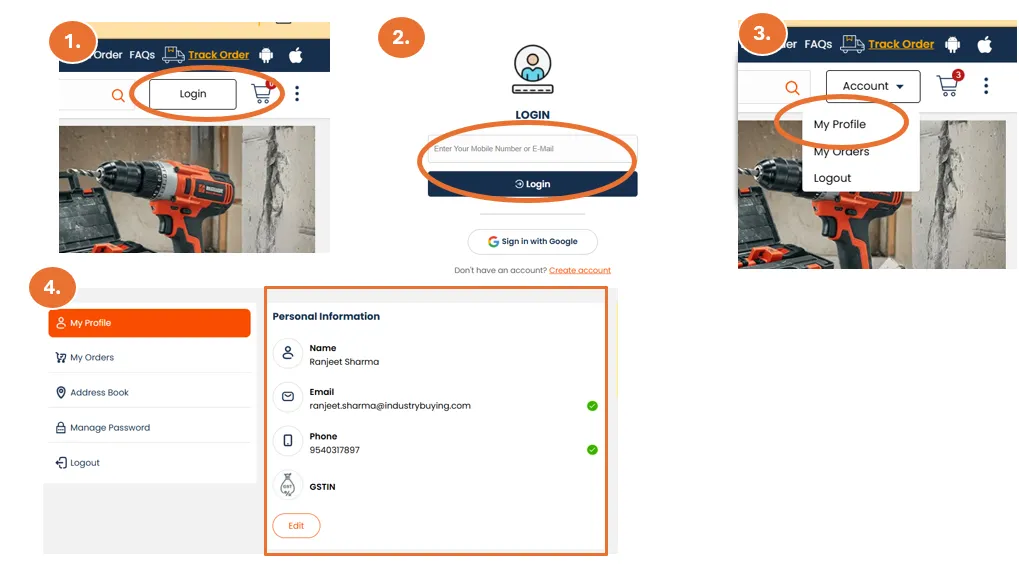
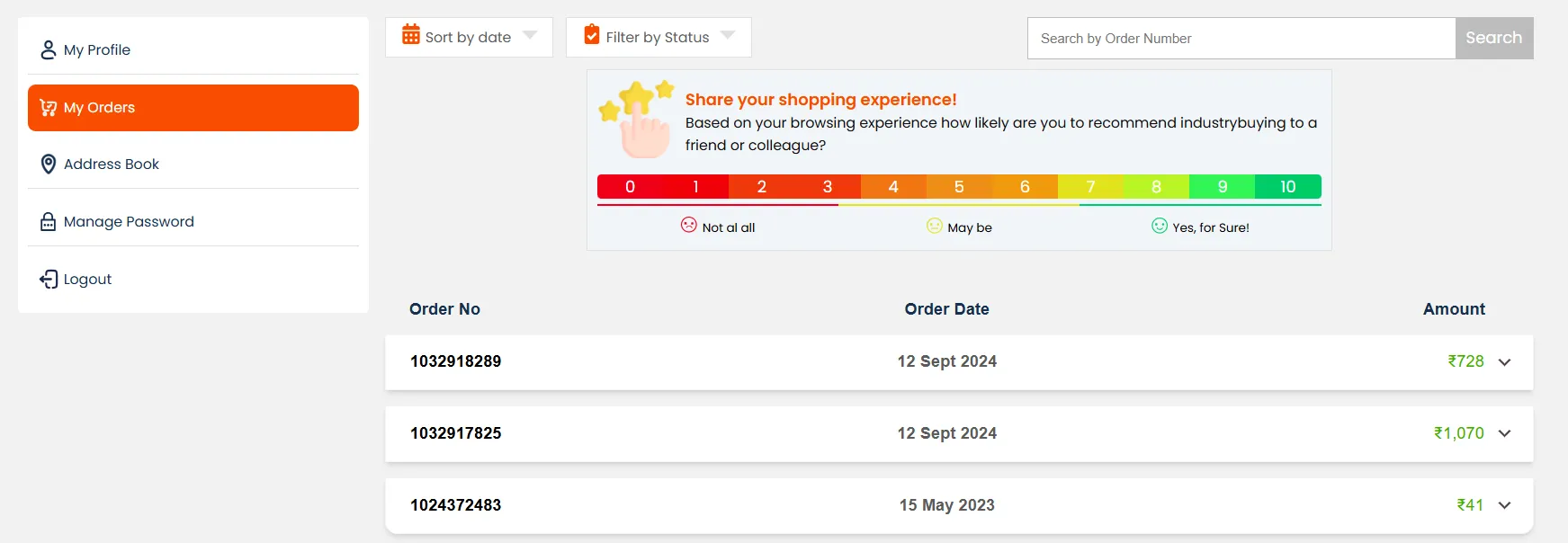
Managing your account on Industrybuying is simple and allows you to access various features to enhance your shopping experience. Here’s how you can easily manage your account and keep track of your orders, preferences, and personal information.
Accessing Your Account
- Log In: To manage your account, you need to be logged in. G
Edit My Profile
In your account settings, you can update personal details like:
- Full Name
- Phone Number
- Email Address
- Billing Address
- Shipping Address
- Company Name (for B2B customers)
Save Changes: Don’t forget to save any changes a
Frequently Asked Questions
Address Book
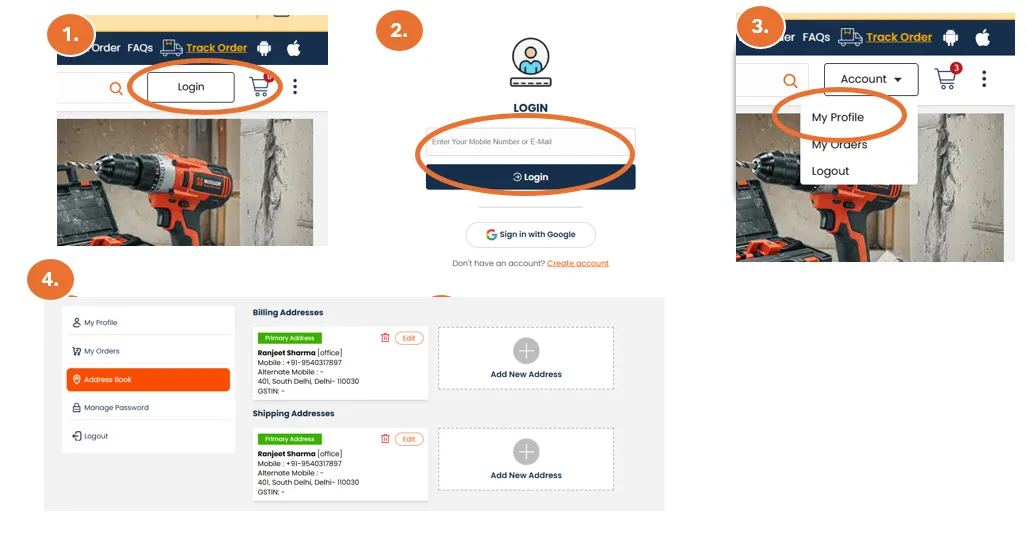
Add or Edit Address: You can add or update your shipping and billing addresses under the "Address" section in your account settings.
- Shipping Address: Ensure the address is correct for timely deliveries.
- Billing Address: Make sure your billing address matches the one associated with your payment method to avo
Frequently Asked Questions
Manage Password
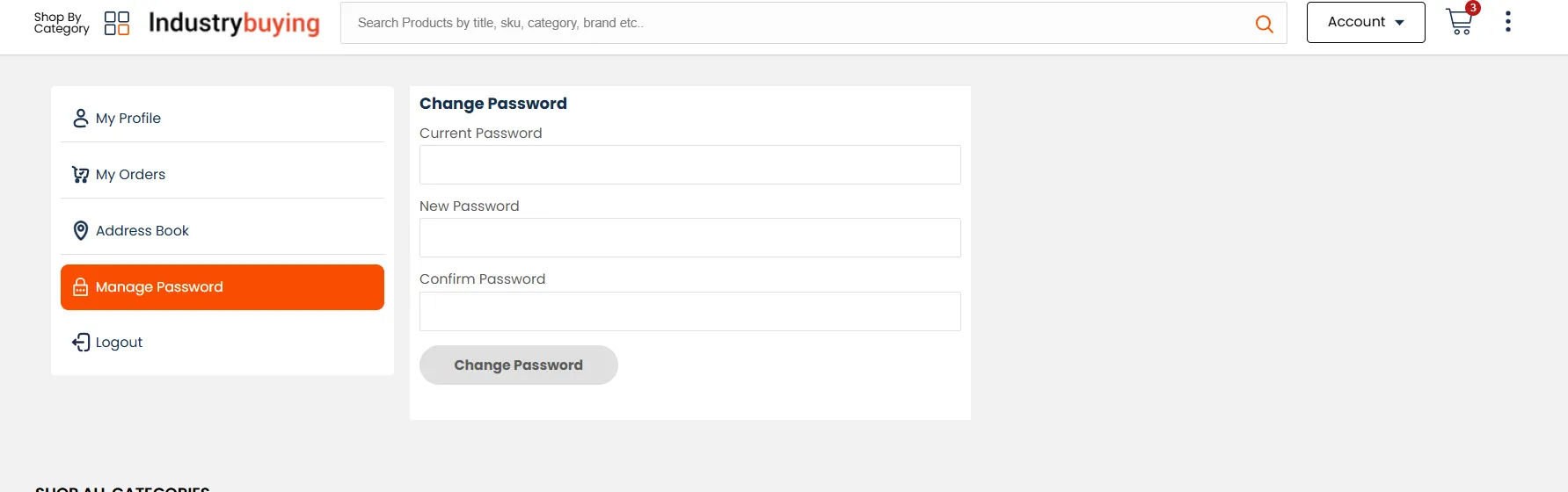
Change Password
- If you want to change your account password, go to "Account" and click on "My Profile”, and then “Manage Password”. Ensure you use a strong password to protect your account.
Frequently Asked Questions
How can I delete my account?
If you wish to delete your Industrybuying account, you need to contact our customer support team:
- Email us at care@Industrybuying.com.
- Please include a request to delete your account in the subject line.
- Once your request is processed, your account will be deleted, and all your persona