










Welcome to IndustryBuying Help Center!
Placing an Order
37 people found this helpful
Last Updated on February 26, 2026
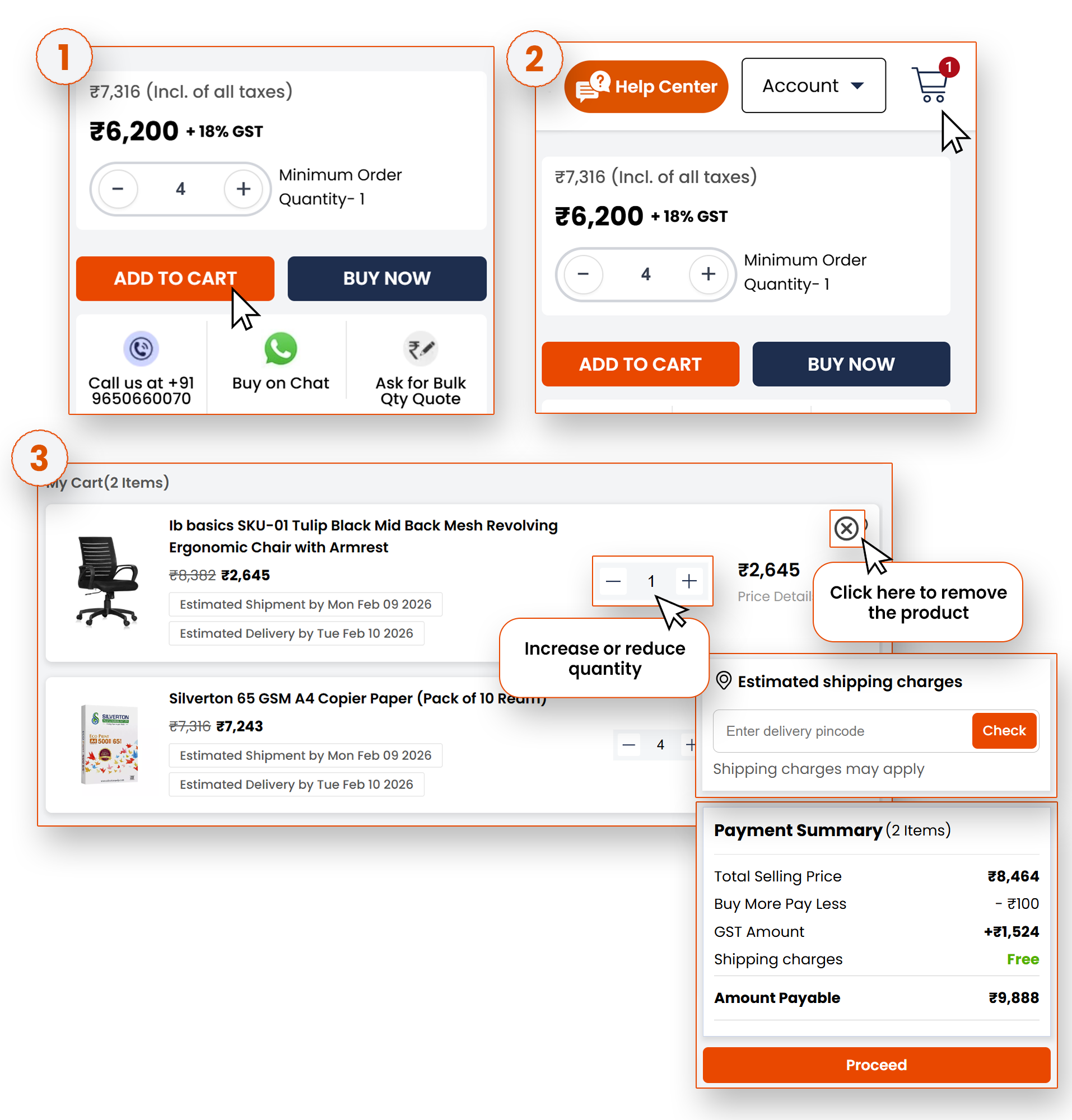
Once you’ve found the product you like, you can add it to your shopping cart. Click the 'Add to Cart' button.
To review your order, click on the cart icon.
Here, you can see all the items you’ve added; you can adjust quantities (shown in the image below), or even remove any unwanted products.
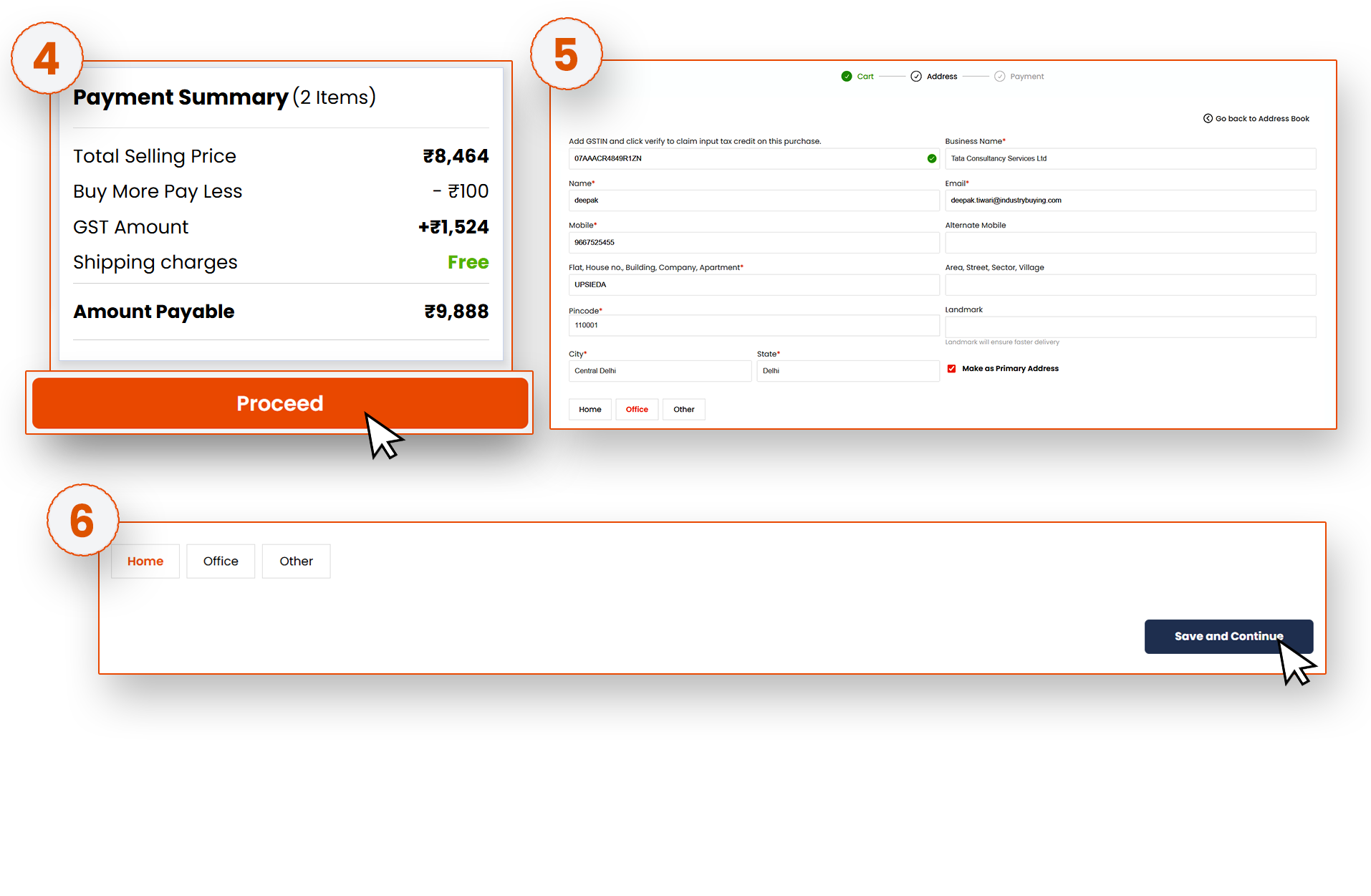
Make sure everything is correct before moving forward. Once you’re ready, click Proceed.
Frequently Asked Questions
Was this information helpful?