










Welcome to IndustryBuying Help Center!
How to Create a Business Account?
1 person found this helpful
Last Updated on October 9, 2025
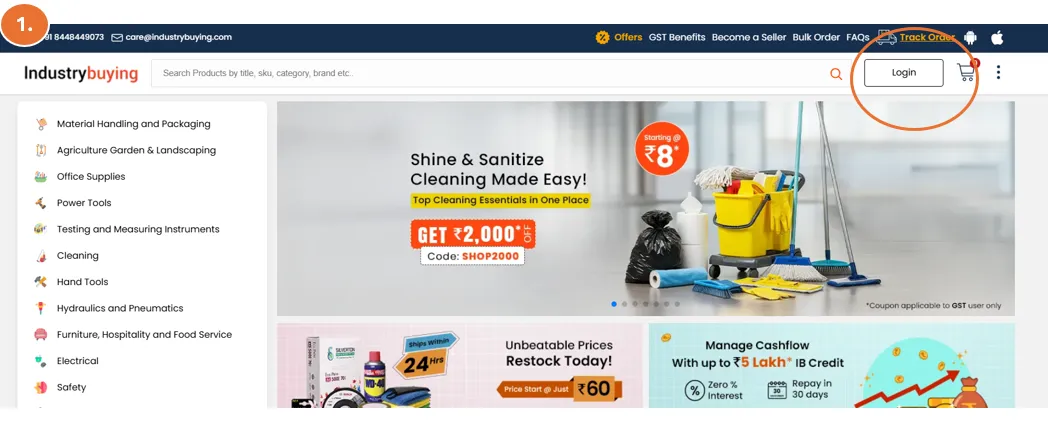
Step 1: Visit the Website
- Open your web browser and go to the official Industrybuying website: www.Industrybuying.com
- On the homepage, look at the top-right corner of the website.
- You’ll see an option for the "Login" button. Click on it to begin the registration process.
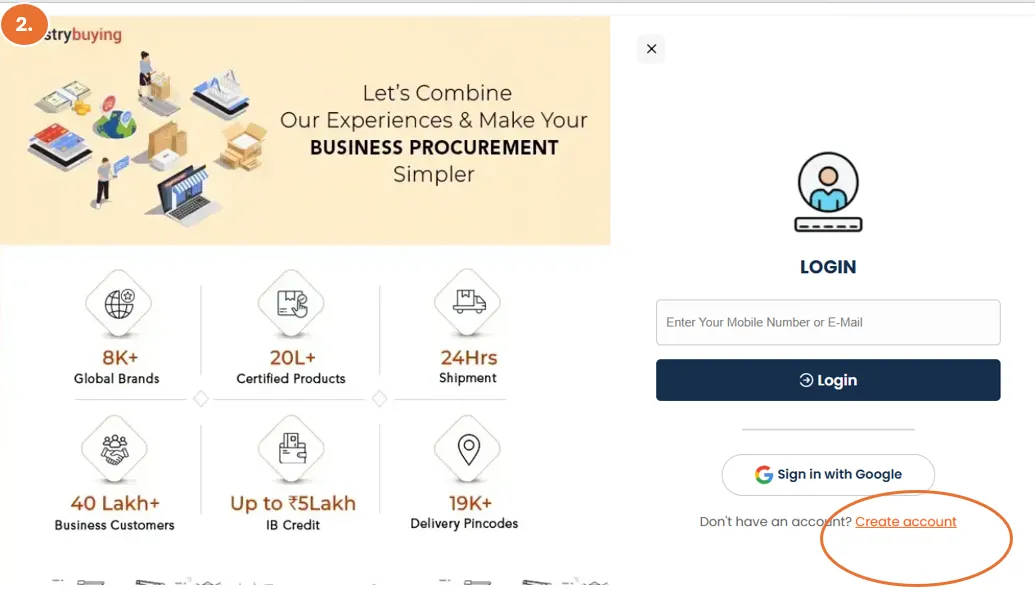
Step 2: Click on Create Account
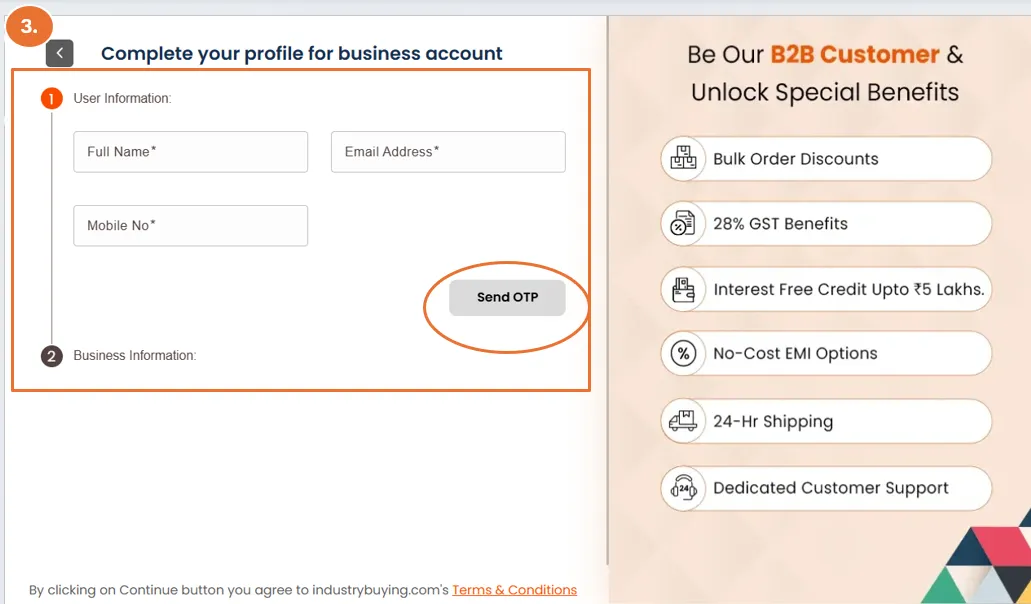
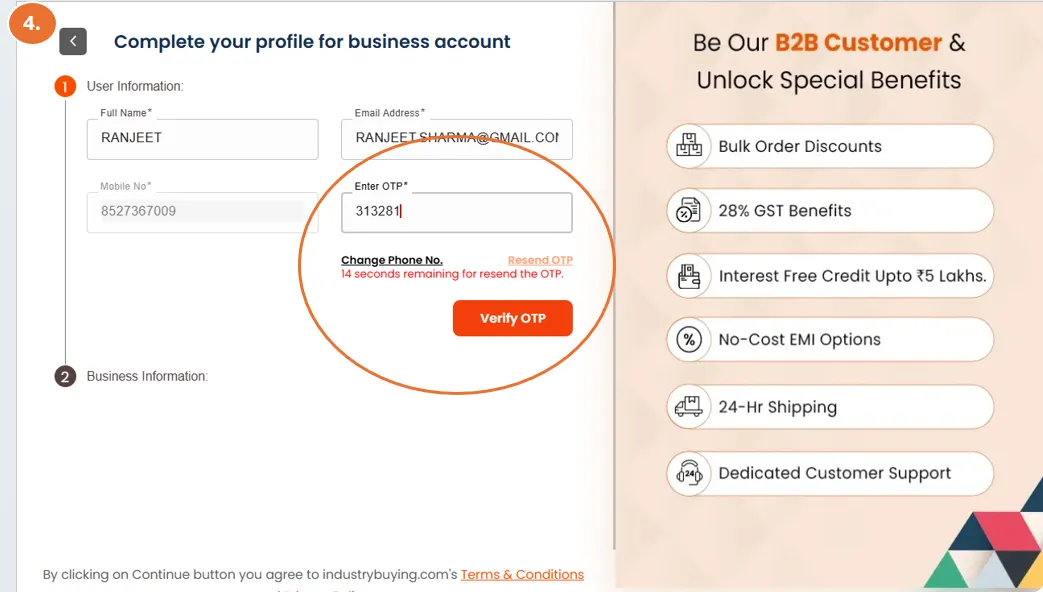
Step 3: Enter the user information:
- Full Name: Enter your first and last name.
- Email Address: Provide a valid email address. (This will be used for order updates and communication).
- Phone Number: Enter your mobile number (for order confirmations, shipping details, and customer support).
- Click on SEND OTP
- Enter the OTP and verify
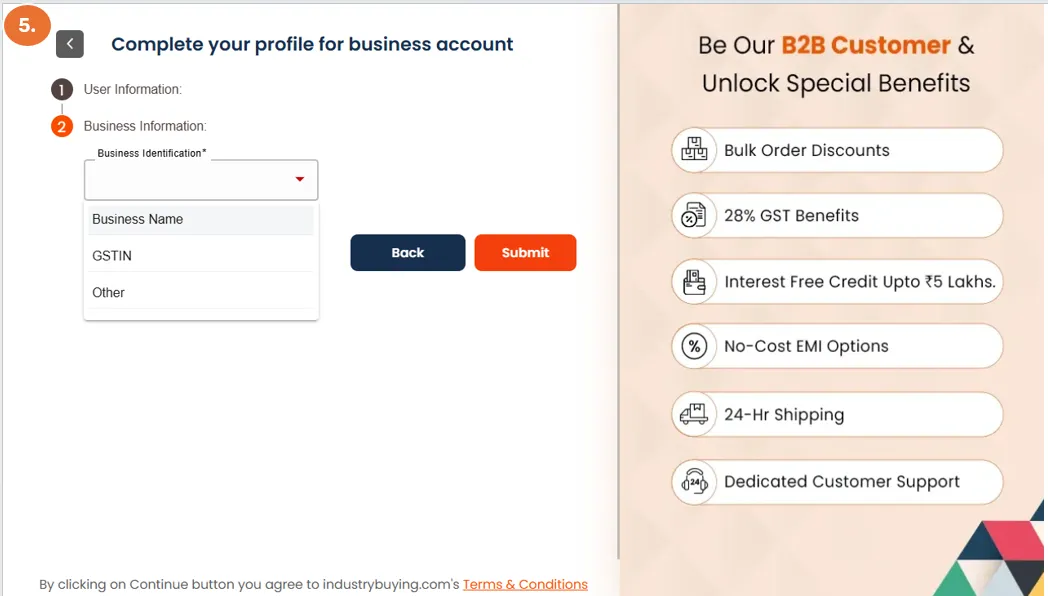
Step 4: Next, fill your business information options
- After filling in your details, click the "Submit" button to proceed.
Congratulations, You Can Start Shopping Now!
Now that your account is set up, you can:
- Browse through various product categories
- Add products to your cart
- Make secure payments
- Track your orders
- Manage returns and exchanges easily
Frequently Asked Questions
Was this information helpful?