










Welcome to IndustryBuying Help Center!
Understanding Your Shopping Cart
4 people found this helpful
Last Updated on February 26, 2026
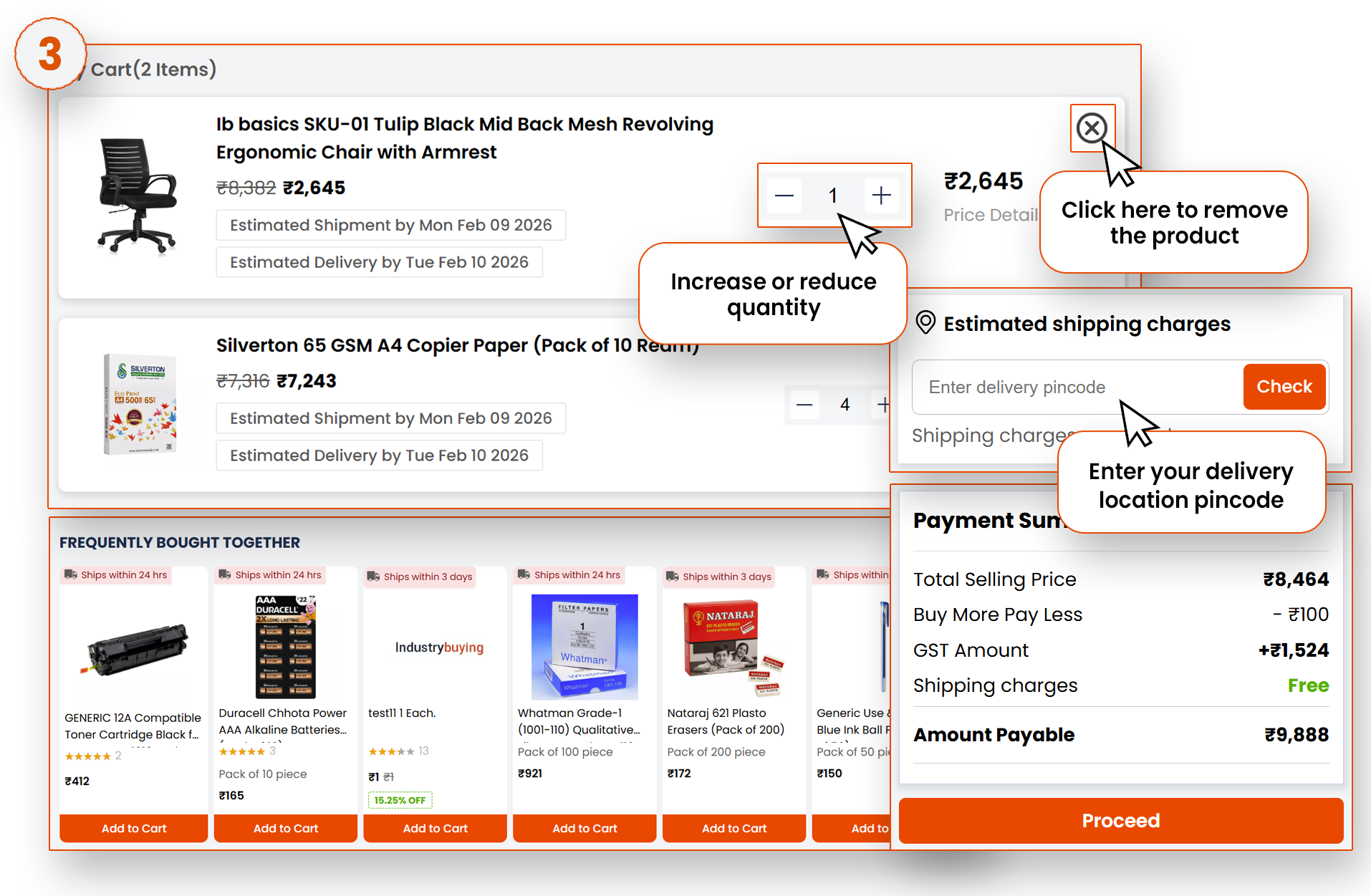
Here, you can see all the items you’ve added.
-You can adjust quantities (shown in the image below).
-Remove any unwanted products.
-To check the delivery timeline, you need to add your address pin code.
-The amount of detail can be seen on the right side.
 Checking out: Payment Options and Order Confirmation
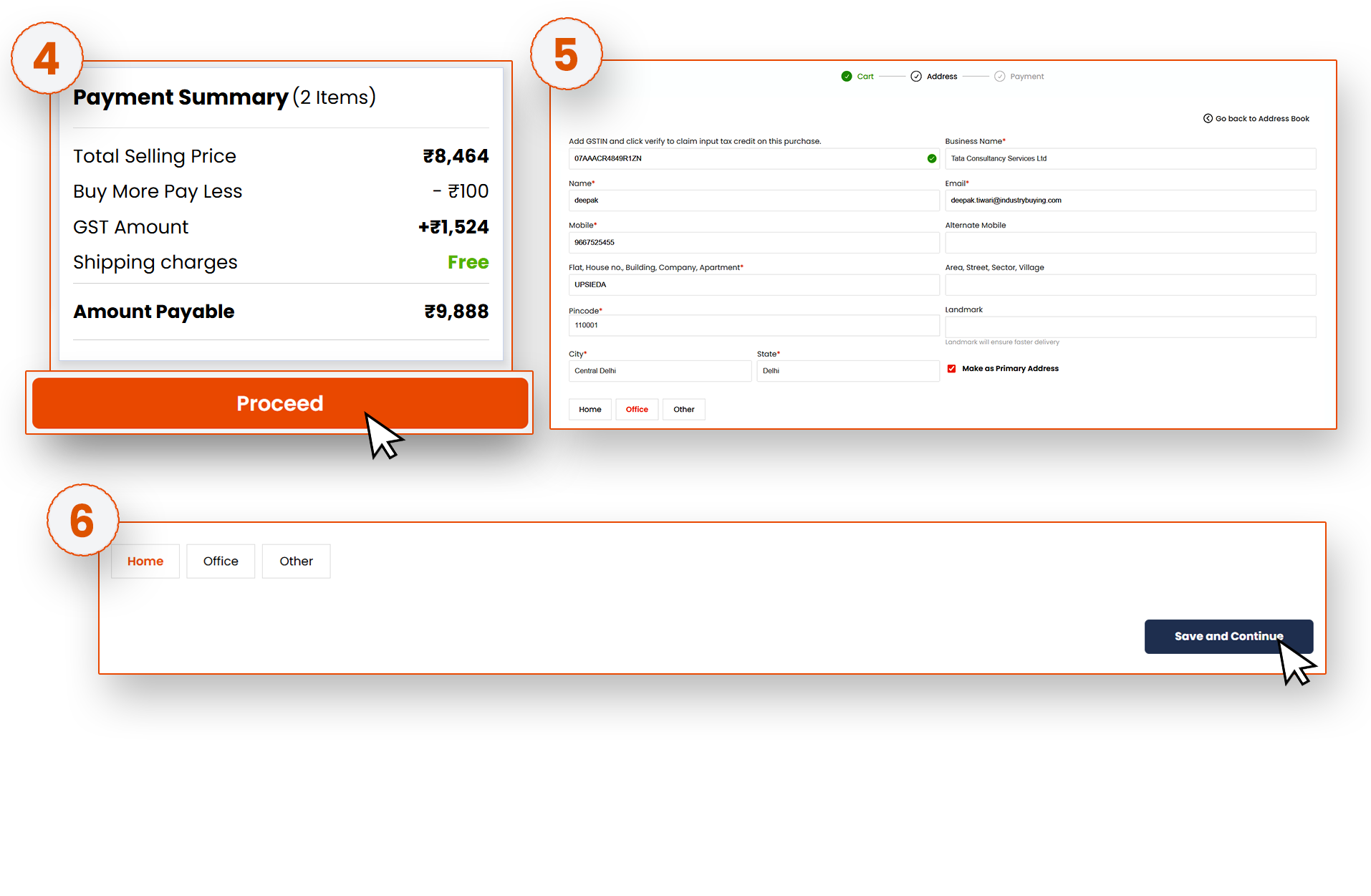
Once you have verified the product details and are sure you want to move forward, click Proceed.
Next, you’ll need to provide your shipping address. Enter your delivery address, along with your phone number, so the delivery service can contact you if needed.
After providing the address, click on the Save and Continue button. It will move to the payment page.
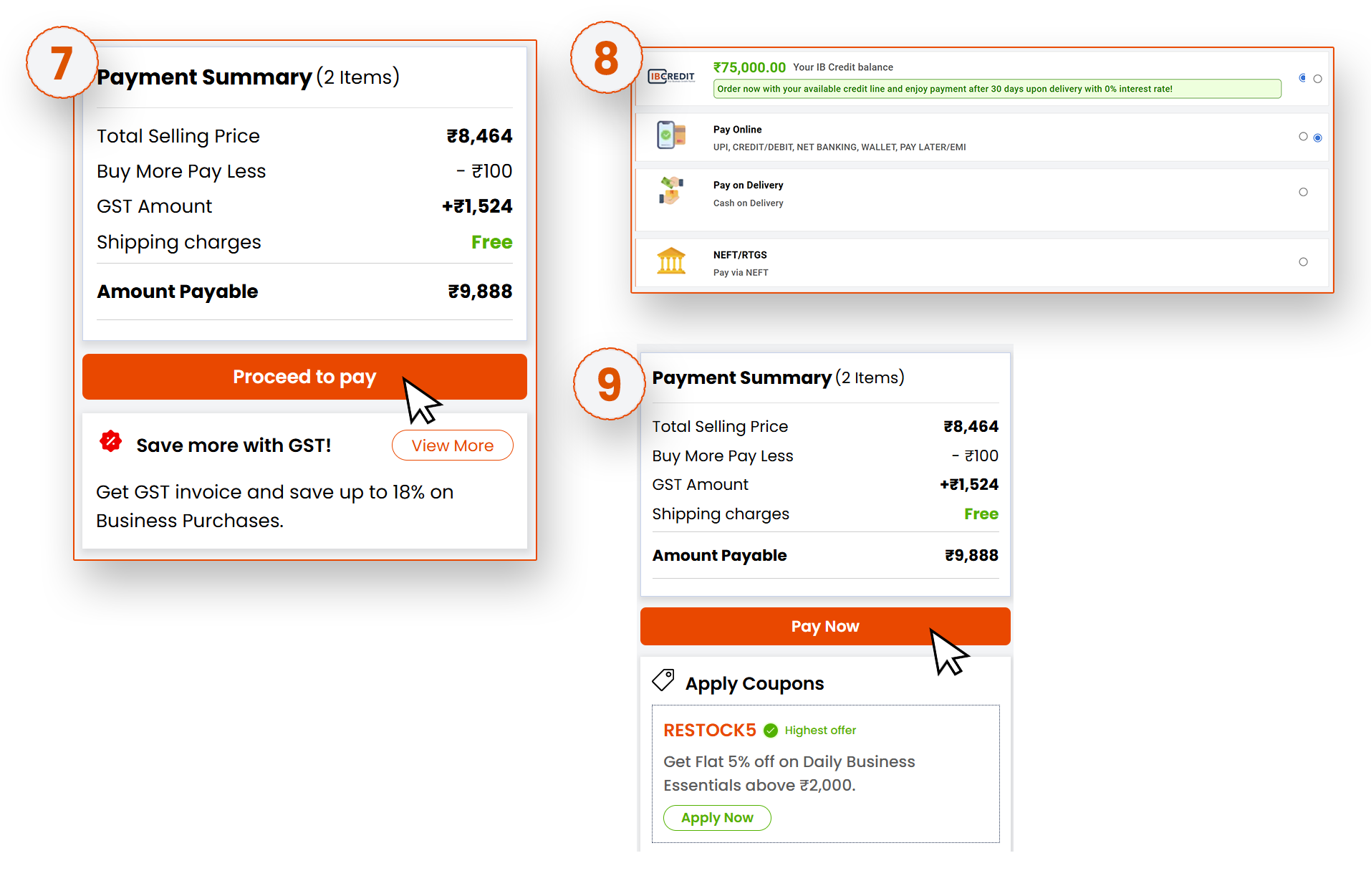
Verify the address for shipping and billing, click on Proceed to Pay. Select the payment mode, click on Pay Now. Once the payment is processed, you’ll receive an order confirmation with your unique order number and the estimated delivery date.
Frequently Asked Questions
Was this information helpful?