










Welcome to IndustryBuying Help Center!
Address Book
1 person found this helpful
Last Updated on October 9, 2025
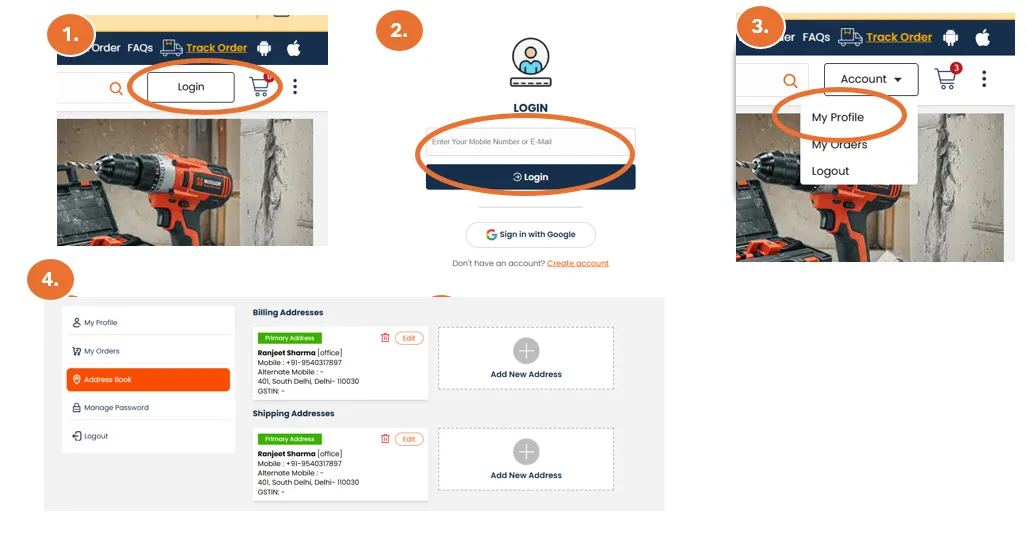
Add or Edit Address: You can add or update your shipping and billing addresses under the "Address" section in your account settings.
- Shipping Address: Ensure the address is correct for timely deliveries.
- Billing Address: Make sure your billing address matches the one associated with your payment method to avoid issues at checkout.
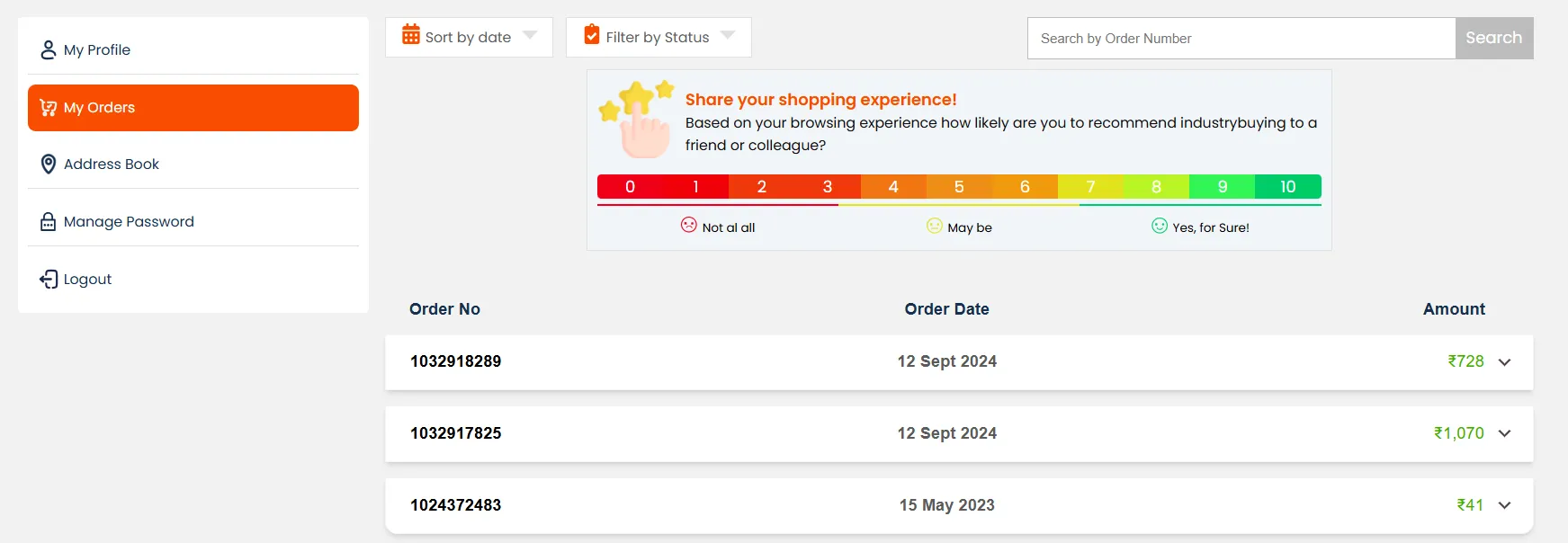
Track Your Orders: Order History: Navigate to the "My Orders" section to view a detailed history of all your past and current orders.
- Track Shipment: For each order, you can track its status, delivery, and shipment progress.
- View Order Details: Click on any specific order to see the details, including the products ordered, their prices, shipping status, and estimated delivery.
Frequently Asked Questions
Was this information helpful?