










Welcome to IndustryBuying Help Center!
Registration or Creating an Account
Welcome to Industrybuying!
Follow these simple steps to create your account and start shopping:
Step 1: Visit the Website
- Open your web browser and go to the official Industrybuying website: www.Industrybuying.com
- On the
Frequently Asked Questions
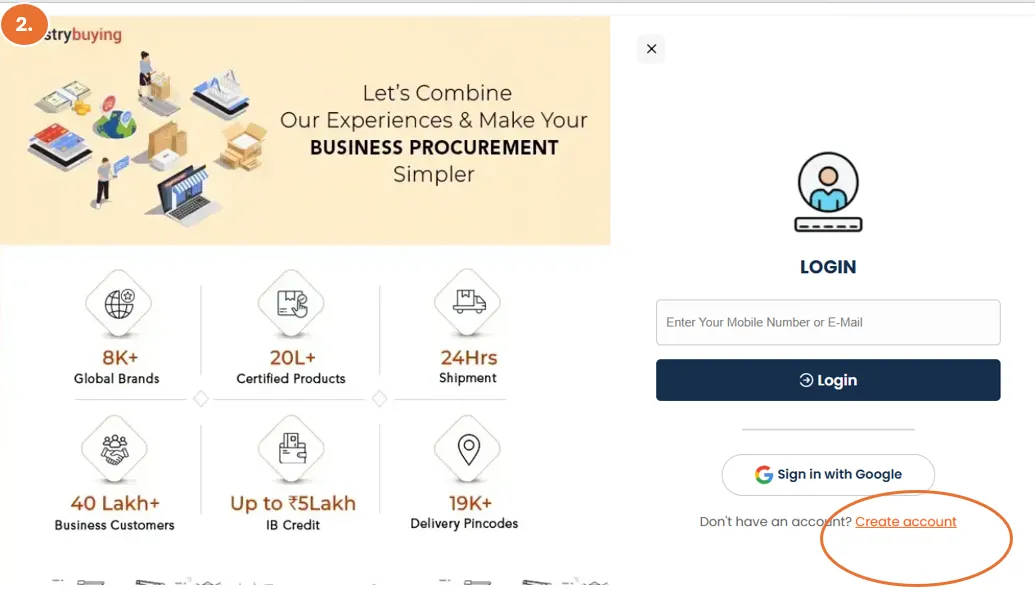
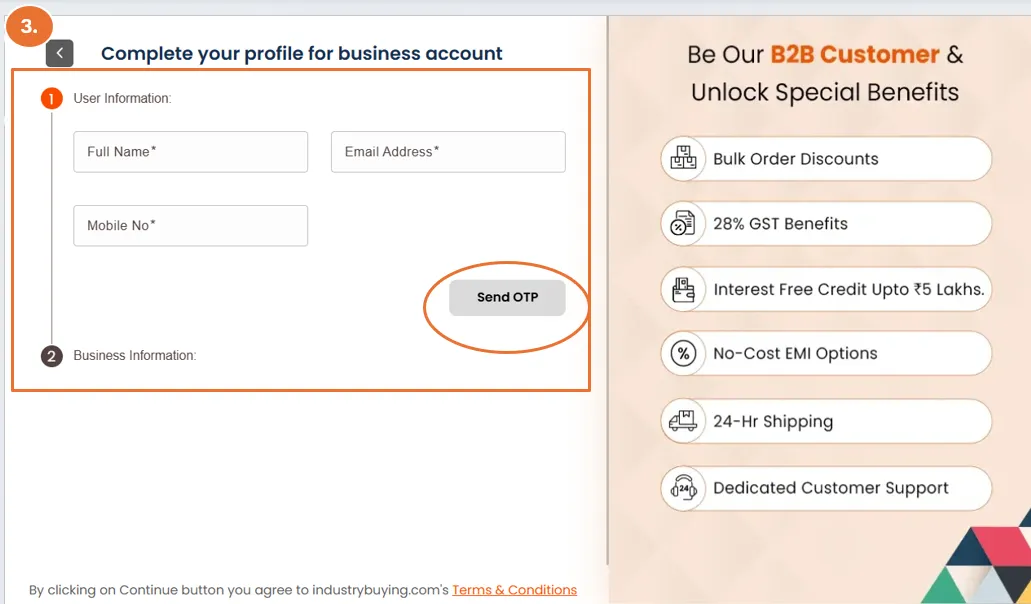
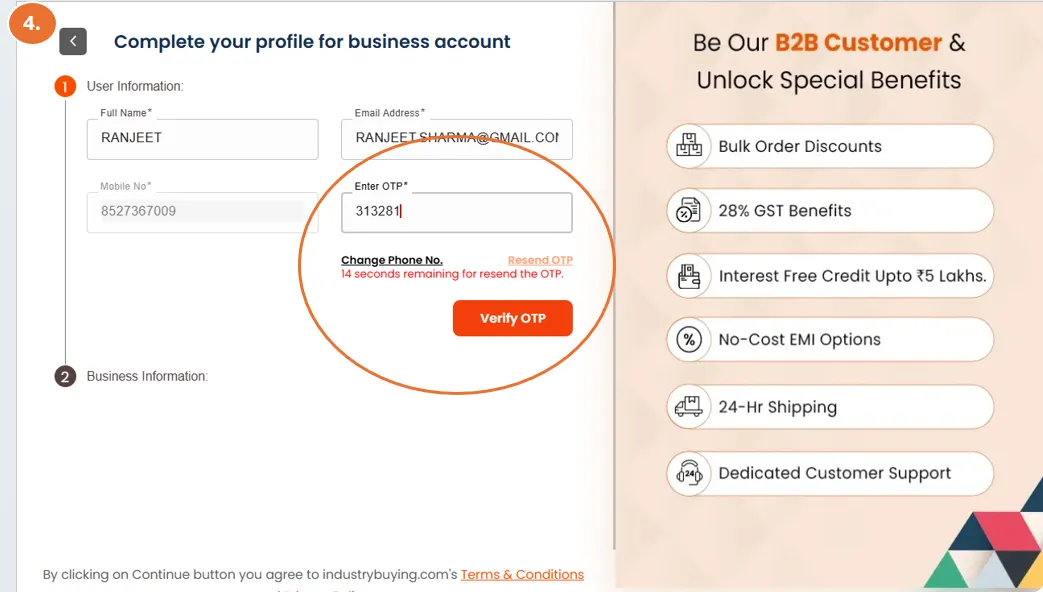
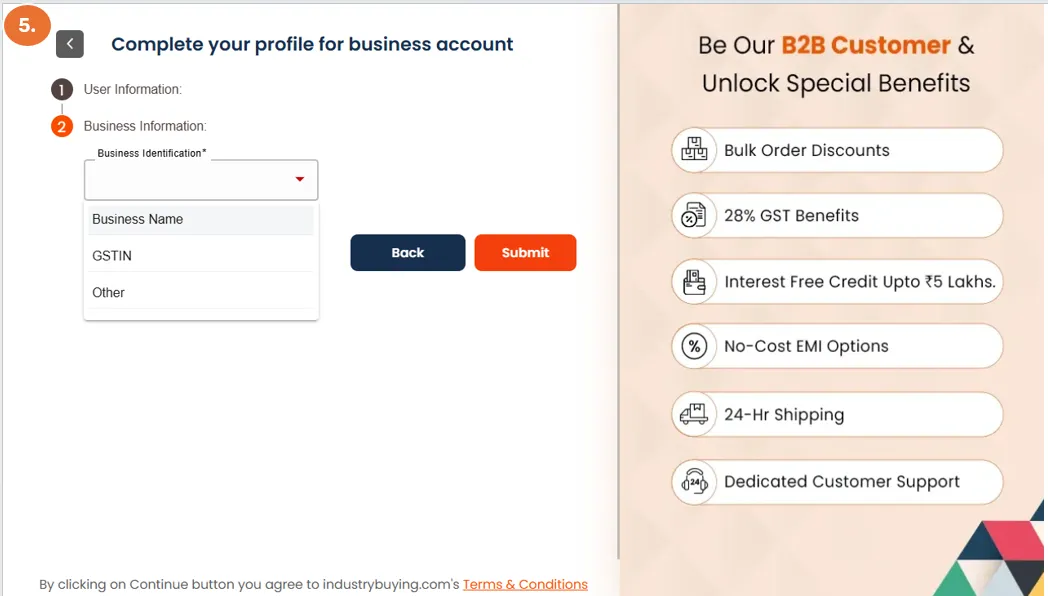
How to Create a Business Account?
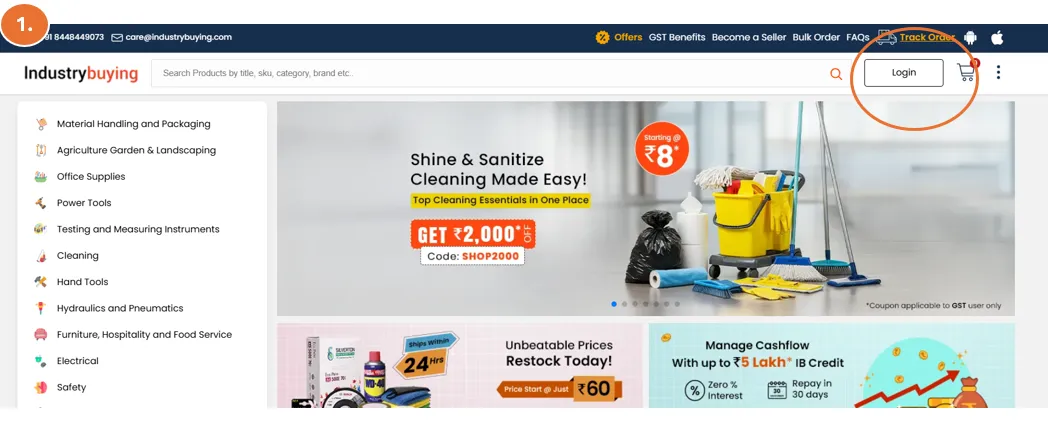
Step 1: Visit the Website
- Open your web browser and go to the official Industrybuying website: www.Industrybuying.com
- On the homepage, look at the top-right corner of the website.
- You’ll see an option for the "Login"
Frequently Asked Questions
Navigating the Website or App
There are 2 simple ways to navigate/search the products on Industrybuying.com.
1. Searching of Product through Search Bar:
- Click on Industrybuying.com
- Search for the product you want. Notice the search bar at the top of the page. Simply type the name of the product y
Understanding Product Pages
When browsing through Industrybuying, each product has its own dedicated page with essential details that help you make an informed purchase. Here's how to understand the product page layout and find all the necessary information.
1. Product Title & Brand
- Product Name: The product's title is typically at the top of the pa
Frequently Asked Questions
How to Add Products to Your Cart?
Once you’ve found the product you like, you can add it to your shopping cart. Click the 'Add to Cart' button.
To review your order, click on the cart icon.
Here, you can see all the items you’ve added, you can adjust quantities (shown in image below), or even remove any unwanted products.
Make sure everything is correct before moving forward. Once you’re