







Welcome to IndustryBuying Help Center!
Promo, Coupons and Discounts
Industrybuying regularly offers promotional deals, discount coupons, and special pricing to help businesses save more on their purchases. These offers may be available during seasonal campaigns, on selected products or categories, or exclusively for registered B2B customers.
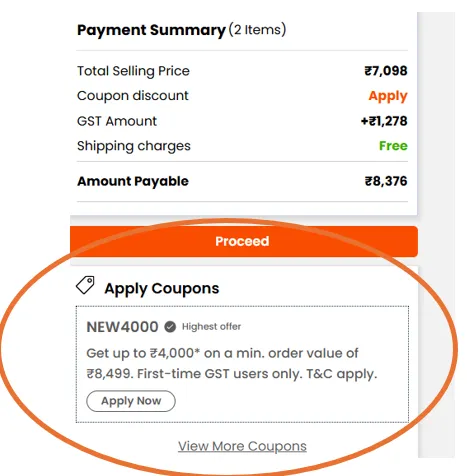
You can apply valid promo codes at checkout to receive instant discounts on your order value. Some discounts may al
Frequently Asked Questions
Searching and Browsing for an item
Welcome to Industrybuying.com, your trusted partner for all your business procurement needs. Whether you're sourcing industrial equipment, office supplies, machinery, raw materials, or anything in between, we have everything you need right at your fingertips. In today’s fast-paced business environment, online procurement has become the preferred solution for streamlining purchasing, enhancing e
Frequently Asked Questions


Placing an Order
Once you’ve found the product you like, you can add it to your shopping cart. Click the 'Add to Cart' button.
To review your order, click on the cart icon.
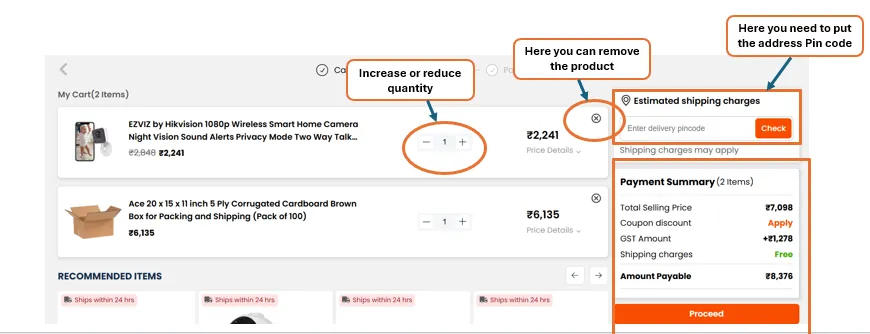
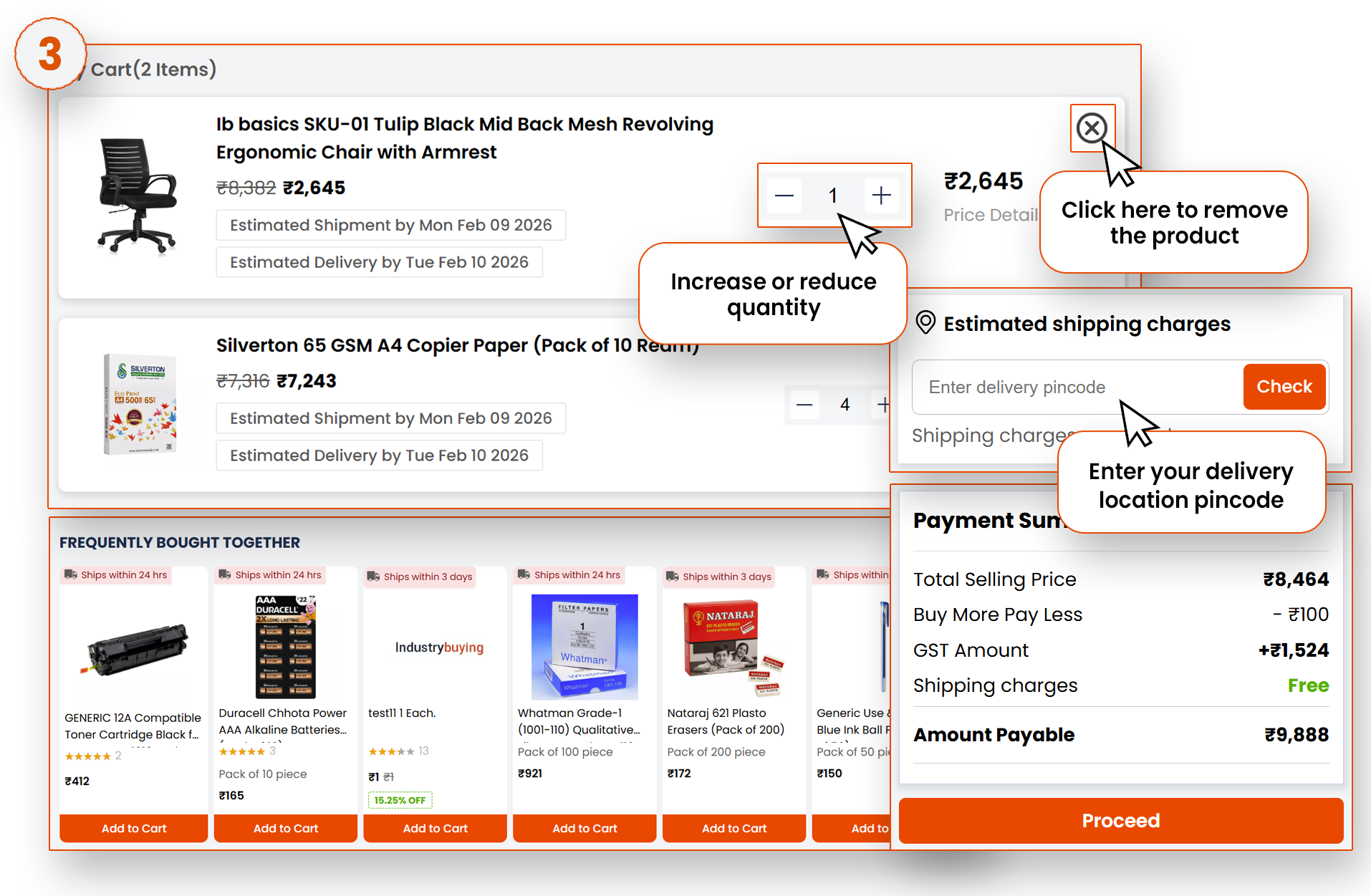
Here, you can see all the items you’ve added; you can adjust quantities (shown in the image below), or even remove any unwanted products.
Make sure everything is correct before moving forward. Once you’re r
Frequently Asked Questions
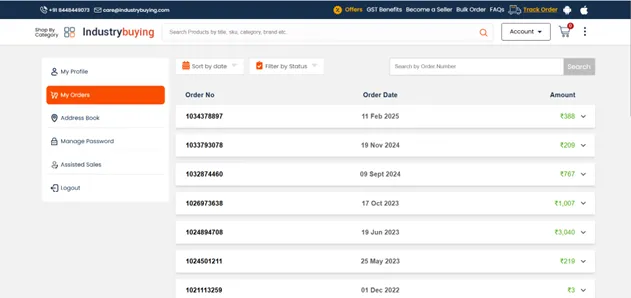
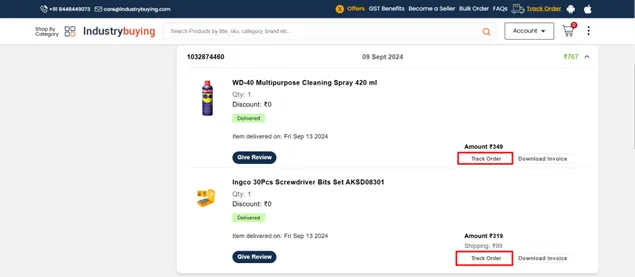
Understanding Your Shopping Cart
Here, you can see all the items you’ve added.
-You can adjust quantities (shown in the image below).
-Remove any unwanted products.
-To check the delivery timeline, you need to add your address pin code.
-The amount of detail can be seen on the right side.
Frequently Asked Questions
Check Out: Payment Options and Order Confirmation
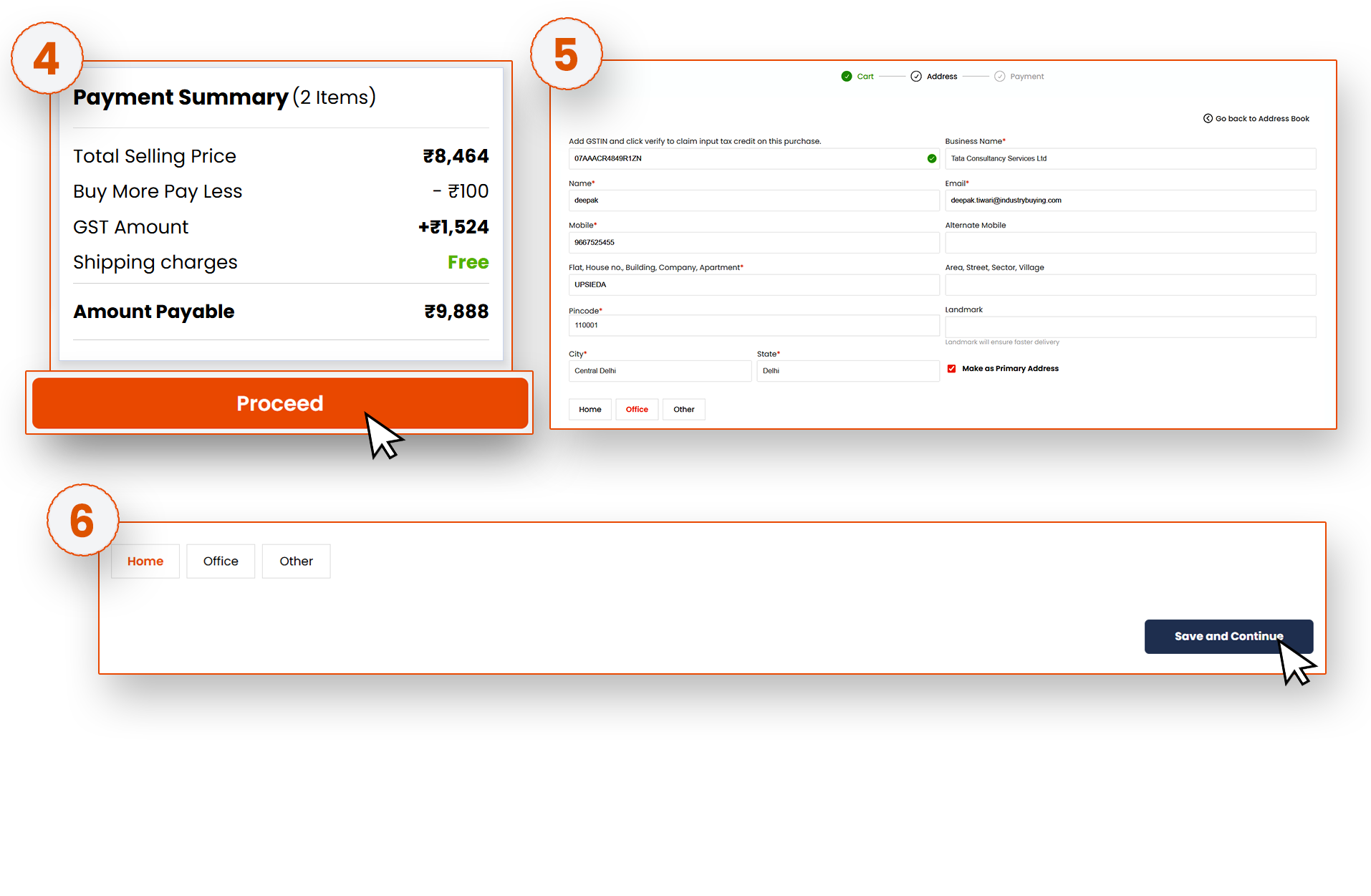
Once you have verified the product details and are sure you want to move forward, click Proceed.
Next, you’ll need to provide your shipping address. Enter your delivery address, along with your phone number, so the delivery service can contact you if needed.
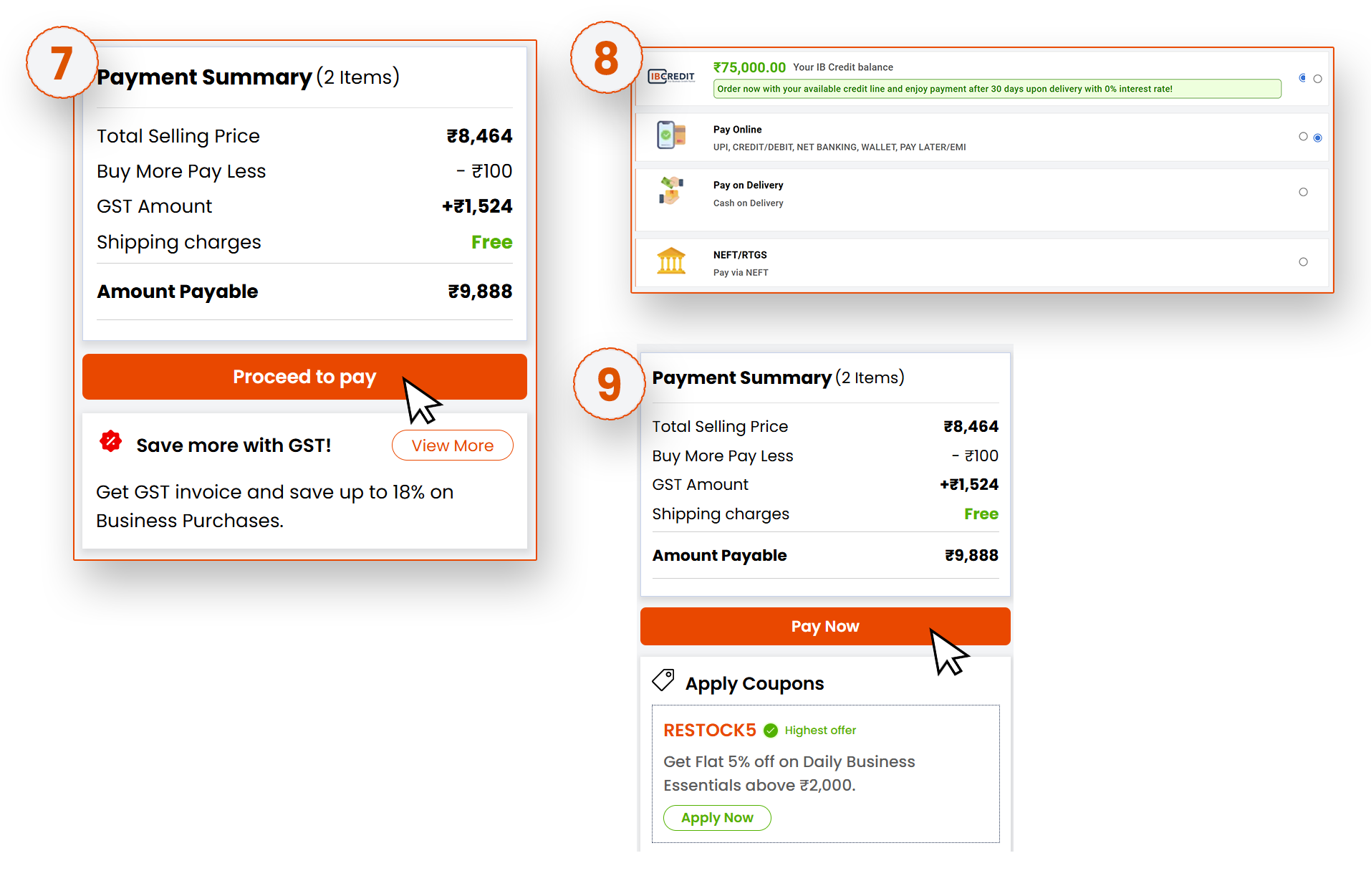
After providing the address, click on the Save and Continue button. It will move to the payment page.
<